7 Mistakes to Avoid When Switching to a Content at Scale Alternative
You are paying for Content at Scale and still rewriting its drafts. Rising credit costs or thin output push most teams to look for an alternative, then a rushed switch costs them rankings and budget.
This article walks through seven mistakes that sink a tool migration, what to check on features and pricing before you commit, and how the top options compare. You will finish with concrete criteria and a clear number one pick.
What to Look For in a Content at Scale Alternative
Evaluating a Content at Scale alternative requires a structured approach that prioritizes long-term content operations over flashy features. The goal is not simply to find a cheaper tool. It is to protect your search rankings and organic traffic while gaining flexibility you did not have before.
Start with content quality. Any serious AI writing tool should produce original drafts that survive fact-checking and plagiarism screening. It should also support E-E-A-T signals through citations, author context, and clean structure.
Next, examine scalability. Look at bulk generation capacity, token limits, and how the platform handles large volumes without degrading output. A tool that performs well on five articles may struggle at five hundred.
Workflow integration matters just as much. Check for CMS integration with WordPress, API compatibility, and Zapier support so publishing fits your existing content operations rather than replacing them.
Pricing transparency and migration support round out the list. You want clear subscription tiers, no surprise fees, and straightforward ways to move your content in and out. That combination reduces vendor lock-in and keeps data portability in your hands.
As you compare options, weigh each criterion against your own publishing cadence and team capacity. A platform that excels at scale but lacks editorial controls may create more cleanup work than it saves.
Mistakes to Avoid When Evaluating Features and Pricing
One of the most common mistakes is assuming that a low monthly price translates to long-term savings, when overage fees and credit expiration can inflate costs. The headline number rarely tells the full story.
Token limits are a frequent trap. A plan may look generous until you hit a cap mid-project, forcing an upgrade at the worst possible time. Map your expected bulk generation volume against the plan's actual ceiling before committing.
Data export restrictions deserve equal attention. If a platform locks your articles inside its dashboard, you have vendor lock-in by another name. Confirm that export formats such as CSV, JSON, or XML are available and that bulk export is not gated behind a higher tier.
Another error is underestimating human review. Every draft needs an editor to check facts, tone, and brand voice. Skipping that step invites AI detection flags and possible Google penalties that undo months of ranking progress.
- Ignoring overage charges: per-article fees, credit rollover rules, and seat limits add up quietly.
- Overlooking export limits: some tools allow viewing but restrict downloading in bulk.
- Skipping quality testing: always run sample output through E-E-A-T and plagiarism checks.
- Assuming integrations work: test the API, CMS, and automation connections before migrating.
Hidden costs accumulate in predictable ways. Add-on modules, premium templates, and per-seat charges can double an entry-level subscription once a team is fully onboarded. Ask for a full cost breakdown across a realistic usage scenario, not just the starter plan.
Finally, test content quality against your own editorial guidelines before signing anything. Run a handful of content briefs through the tool and compare the results to your current standard. If the output needs heavy rewriting, the savings disappear.
A short trial period with real keyword research and topic clusters reveals more than any demo. It shows whether the platform supports your publishing cadence or quietly slows it down.
1. Autoblogging.ai - Best Overall
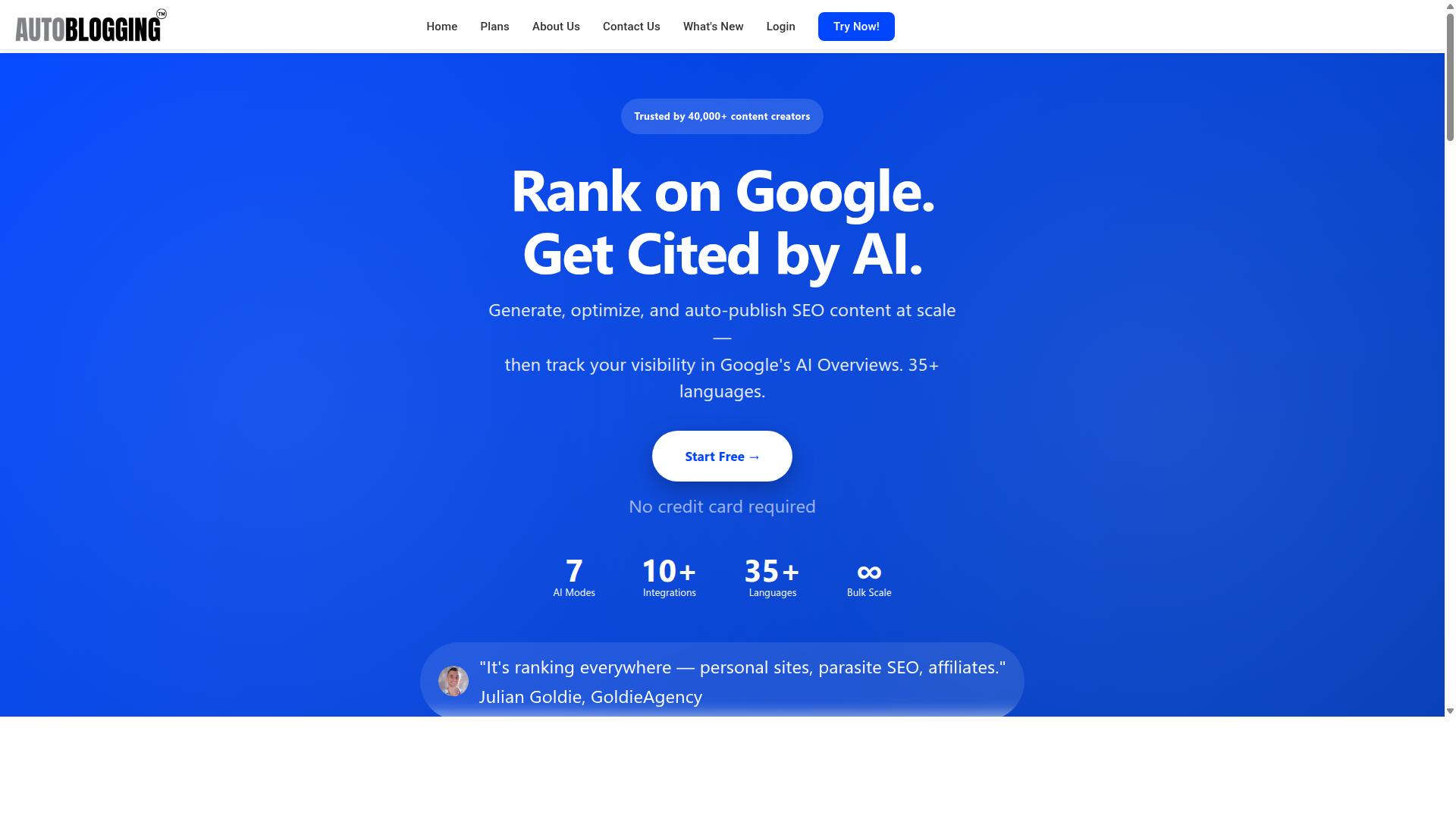
Autoblogging.ai stands out as the best overall Content at Scale alternative due to its combination of advanced AI modes, transparent pricing, and robust integration capabilities. For teams weighing a migration, the appeal is not one headline feature but how the pieces fit together: generation, optimization, and publishing under a single subscription.
The platform offers 10+ AI modes, each built for a different content job. Quick Mode covers free single and wizard generation, while Godlike Mode adds SERP competitor analysis, LSI keywords, and knowledge graph extraction for teams that need deeper SEO content. News Mode connects to Google News, Amazon Reviews Mode targets product content, and Bulk Generation handles up to 500 articles through CSV upload.
Scale is matched by reach. Autoblogging.ai supports 35+ languages and 35+ integrations, including WordPress, Zapier, n8n, and an API. WordPress publishing works across unlimited sites with one-click publishing, a plugin, and scheduled auto-posting. Web 2.0 platforms such as Medium, Dev.to, Hashnode, Telegraph, and Tumblr are covered, along with Shopify, Wix, Webflow, Blogger, and Ghost.
The numbers behind the tool matter for anyone comparing alternatives. It is trusted by 40,000+ content creators, holds a 4.9 average rating, and has generated 1M+ articles. Credits rollover, so unused capacity is not lost between billing periods, and 24/7 support keeps content operations moving across time zones.
Optimization and quality tools round out the offer. Semantic SEO Analysis runs a 21-point audit, and the platform also includes Snippet Optimizer, Topical Maps, Intense Optimizer, Fan Out Queries, AI Infographics, Outreach Prospects, and a Content Repurposer. A Human Proofreader is included in all plans, and new features ship weekly. Done For You packages are available for teams that want hands-on help.
Why It Avoids the Common Switching Mistakes
Autoblogging.ai sidesteps typical switching pitfalls by offering a migration-friendly onboarding process, transparent pricing without hidden fees, and flexible export options. Each safeguard maps directly to a mistake teams make when leaving a Content at Scale style platform.
Start with pricing surprises. Token limits and overage charges are a frequent complaint during migration, because usage spikes when teams rebuild their pipeline. Credits rollover at Autoblogging.ai, so capacity is not wasted when a month runs light, and there are no hidden fees layered on top of the plan.
Next, data portability. Vendor lock-in is a real risk when export formats are limited. Flexible export options mean content can move in and out of the platform, which protects your content operations if priorities change later.
Content quality is the third trap. A rushed switch often produces thin pages that struggle with E-E-A-T and human review. Built-in human-proofing features, including a Human Proofreader in all plans, help maintain editorial guidelines and brand voice through the transition rather than after it.
Workflow disruption is the fourth. Integrations with WordPress, Zapier, n8n, and the API preserve existing publishing cadence and CMS integration instead of forcing a rebuild. Round-the-clock support and weekly feature updates act as further safeguards against vendor lock-in, since the platform keeps evolving rather than standing still.
For teams planning a migration, the practical takeaway is to audit these four areas before committing to any alternative: how unused capacity is handled, how easily content leaves, how quality is protected, and how well the tool plugs into the stack you already run.
2. Agility Writer
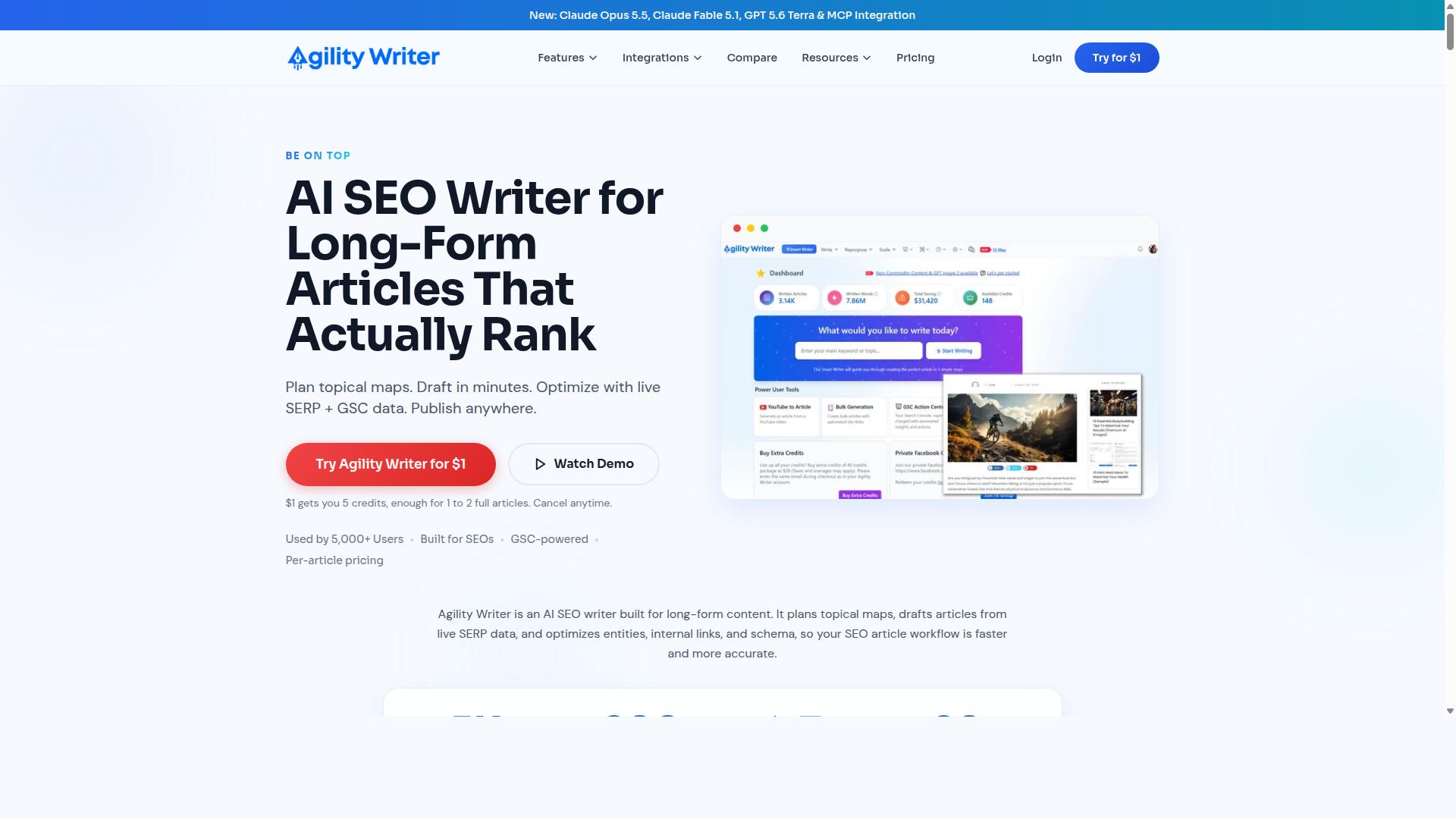
Agility Writer is a solid alternative known for its user-friendly interface and focus on SEO-optimized content, but it may lack the depth of customization some advanced users need. It is an AI SEO writing tool that generates factual, SEO-optimized articles for blog posts, product reviews, and roundup reviews.
The platform plans topical maps and drafts long-form articles from live SERP data, aligning with Google's Helpful Content Update. For teams that live and breathe SEO content, that search-driven approach can be a genuine advantage.
Its feature set includes Bulk Generation, Templates and Writing Modes, Smart Writer, Smart Editor, Smart Visual AI, Fact Sheets, GSC Action Center, G-Smart Optimizer, Social Posts, Topical Authority Audit, and an MCP Connector. It also integrates with Claude, ChatGPT, Cursor, WordPress, API, and Zapier.
That is a broad toolkit on paper. The catch is that breadth does not always equal depth, and this is where the second mistake in a migration often shows up.
The tool suits SEO-focused content creators and affiliate marketers well. If your content operations depend on heavy customization, custom editorial guidelines, or unusual brand voice requirements, the available writing modes may feel limiting compared to what you are used to.
Bulk generation exists, but teams with very high volume needs should check how it scales for their specific publishing cadence. Fewer AI modes and limited bulk capacity are the trade-offs most commonly noted for advanced users.
Pricing is worth verifying directly. Agility Writer offers a $1 trial with 3 credits for 3 articles, and there is no free trial. Confirm current capabilities and pricing on the vendor's site before you commit, since these details change.
3. SEOWriting.ai
SEOWriting.ai excels at generating SEO-friendly articles with built-in keyword optimization, making it a popular choice for bloggers focused on organic traffic. It belongs to the same category of AI writing tools that teams evaluate when they move away from Content at Scale. If your content operations depend on publishing fast, the tool's emphasis on speed and search visibility will feel familiar.
The platform is best known for bulk article generation paired with direct WordPress publishing. Its headline feature is 1-click generation and auto-posting, which shortens the distance between a draft idea and a live post. That flow suits publishers who run high-volume blogs and want less manual copy-paste between tools.
Its free plan offers 3 free articles, up to 25,000 words, so new users can evaluate output quality before committing. It has also been listed among the 7 best SEO writing AI free platforms for 2026. For anyone weighing a migration, that free tier is a low-risk way to test whether the writing style matches your editorial guidelines.
Other commonly cited strengths include automated keyword insertion and content brief generation. Keyword insertion helps align drafts with target terms without extra editing passes. Brief generation can support topic clusters and a steadier publishing cadence. WordPress integration keeps the workflow inside a CMS most teams already use, which reduces onboarding friction during a switch.
There are trade-offs to weigh before you commit. Language support may be narrower than what global teams need, and very large sites could find scalability limits as volume grows. Because features and plan details change often, check the vendor's latest documentation rather than relying on older comparisons.
Keep these questions on your migration checklist:
- Does the tool support the languages your audience reads?
- Can it handle your expected bulk generation volume without slowing down?
- How clean is the WordPress export, and does it preserve formatting?
- Does the free plan's word allowance cover a realistic test?
- Will drafts meet your brand voice and human review standards?
Treat SEOWriting.ai as a credible option for SEO content at moderate scale, not a guaranteed fit for every operation. Test it against your own briefs, review process, and CMS setup before migrating your full pipeline. That due diligence prevents the common mistake of choosing an alternative based on feature lists alone.
4. Koala AI

Koala AI offers a robust API and automation features that appeal to tech-savvy users looking to integrate AI content generation into custom workflows. If your switch from Content at Scale involves connecting an AI writing tool to internal systems, Koala AI is worth a closer look.
The platform includes Koala Writer, an SEO-focused AI writer, and Koala Chat, a chatbot. Koala Writer produces publish-ready, SEO-optimized articles in one click and supports Amazon affiliate articles, tone-of-voice options, and custom outlines.
A Google Sheets integration adds another automation path. Teams can trigger generation from structured data in a spreadsheet, which suits bulk workflows and repeatable publishing cadence.
That API-first design is the main draw. It lets technical teams pull content generation into their own pipelines rather than working entirely inside a dashboard.
The trade-off is setup effort. An API-first tool typically asks for more configuration than a plug-and-play option, so it may be less suited to non-technical users who want results without wiring up integrations.
- Best for: SEOs, niche site publishers, and developers building custom workflows
- Standout features: One-click SEO articles, affiliate support, tone-of-voice controls, custom outlines, Google Sheets integration
- Watch for: A more technical onboarding curve and a basic interface compared to the writer itself
As with any Content at Scale alternative, test Koala AI against your own needs before committing. Run a few real briefs through it, check how output fits your brand voice and editorial guidelines, and confirm the API behaves the way your workflow requires.
5. Article Forge

Article Forge is a veteran in the AI writing space, known for its ability to generate long-form content quickly, though some users report issues with originality. For anyone evaluating a Content at Scale alternative, it represents the "speed first" end of the market. That trade-off matters when you are planning a migration and need to know what you are actually signing up for.
Its main draw is bulk generation. Instead of drafting one article at a time, users can queue topics and let the tool produce multiple long-form pieces in a single run. For teams trying to hit a publishing cadence across many keyword targets, that throughput is genuinely useful.
The concern is what comes out the other side. When a tool prioritizes volume, content uniqueness can suffer. Repeated phrasing, thin sections, and generic filler are common complaints, and those issues tend to surface after publishing rather than before.
AI detection is the second risk. Output that reads as machine-generated can undermine E-E-A-T signals and, in worst cases, invite scrutiny that hurts search rankings. Before committing, run sample output through a detector and a plagiarism check.
Practical steps when assessing it as a Content at Scale alternative:
- Test whether the tool accepts your own content briefs and keyword research, or only bare topics.
- Check how much editing is required before a draft meets your editorial guidelines and brand voice.
- Confirm export formats and whether output moves cleanly into your CMS integration, such as WordPress or Zapier.
- Ask how bulk generation fits your human review and fact-checking process, since that step does not disappear.
None of this makes Article Forge a bad choice. It suits high-volume, low-stakes content where speed outweighs polish, and where a human review layer is already in place. The mistake is assuming any bulk generator removes the need for that layer.
Treat it as one option among several. Compare current offerings against your own content operations, not against marketing pages, and let sample output decide. If originality and detection risk are dealbreakers for your niche, weigh that heavily before you migrate.
6. SEO.ai

SEO.ai focuses on aligning AI-generated content with search intent and E-E-A-T guidelines, making it a strong contender for those prioritizing rankings. If your Content at Scale migration is driven mainly by SEO performance, this is a name worth shortlisting.
The tool is best described as an AI SEO editor. It blends keyword research with long-form drafting inside a single editing environment, so writers and editors are not bouncing between separate tools.
That editor-first approach matters during a migration. When you leave a Content at Scale alternative, you are often rebuilding your content operations from scratch. A tool that keeps research, drafting, and optimization in one place can reduce the friction of that rebuild.
Key capabilities reported for SEO.ai include:
- Keyword research feeding directly into article drafts
- Long-form content generation with editor guidance
- Content optimization and semantic guidance
- Title and outline support
- Internal-link suggestions
The keyword-to-article workflow is the core selling point. You start with a target term, and the editor walks you through structure and optimization as you write. For teams producing SEO content at volume, that flow can cut down on manual briefing time.
Internal-link suggestions are also useful if your migration involves rebuilding topic clusters. Strong internal linking is easy to neglect when you are focused on publishing cadence, and automated prompts help keep it from slipping.
One caution: results may vary based on your niche and competition. A workflow that performs well in a low-competition space may need more human input in crowded verticals. The tool supports the process, but it does not guarantee rankings.
Because no pricing details are publicly stated in the sources reviewed, treat cost as something to confirm directly. Ask about subscription tiers, token limits, and any hidden costs before committing, especially if you are migrating a large content library.
Also check how exports and data portability work. If you ever switch again, you want clean export formats rather than vendor lock-in. Confirm CMS integration options and whether automation tools like Zapier are supported.
The same editorial safeguards you would apply to any AI writing tool still apply here. Human review, fact-checking, and brand voice checks remain your responsibility. No editor removes the need for a final read before publishing.
If the editor experience is your main buying criterion, check the official product overview and, ideally, run a trial with your own content briefs. Testing with real topics from your niche will tell you more than any feature list. Compare the output against your editorial guidelines before you decide.
7. Trolly.ai
Trolly.ai is a lesser-known alternative that offers basic AI writing capabilities at a lower price point, but it may lack advanced features for scaling content operations. If you are moving away from Content at Scale, it can look appealing on cost alone. Before committing, treat it as a tool to test rather than a drop-in replacement.
Its main draw is simplicity and affordability. Teams with light content needs may find the interface easy to pick up, and the learning curve appears gentle compared to heavier platforms. That matters if your writers are not technical and you want fast onboarding.
The tradeoff shows up as you grow. A Content at Scale alternative needs to support scalability and workflow integration over time, and that is where a lighter tool can strain. Watch for these gaps during your migration evaluation:
- Limited integration options, including CMS connections and automation through tools like Zapier
- Unclear support for bulk generation, API compatibility, and token limits
- Fewer controls for brand voice, editorial guidelines, and human review steps
- Uncertainty around export formats and data portability if you later switch again
None of these are automatic dealbreakers. They are questions to answer before you move your content operations onto a new platform. Pricing models and subscription tiers at smaller vendors can also change quickly, so confirm current terms directly rather than relying on secondhand comparisons.
The practical move is a structured trial. Run a small batch of SEO content through the tool, then check the output against your content briefs and keyword research. Have an editor assess content quality, factual accuracy, and brand voice fit. If the results need heavy rewriting, the lower sticker price stops being a real saving.
Also test the boring parts: publishing cadence, topic clusters, and how drafts move into WordPress or another CMS. A tool that writes well but disrupts your workflow integration can cost more time than it saves. Keep a fallback plan so vendor lock-in does not trap you if the fit is wrong.
In short, Trolly.ai may suit small teams with modest volume and simple needs. For larger operations, verify scalability, integration depth, and support before you commit. Test thoroughly, and let your own results decide.
How to Choose the Right Option
Choosing the right Content at Scale alternative depends on your specific content operations, scalability needs, and budget constraints. The mistake most teams make is picking a tool based on a single impressive demo rather than mapping it against how they actually publish content every week.
Start with volume and growth projections. A blogger publishing four posts a month has very different needs than an agency managing dozens of client sites. If your output is likely to double within a year, a tool with bulk generation and automation built in will save you from switching platforms twice.
Next, list the integrations your workflow depends on. A CMS integration with WordPress, an API for custom pipelines, or a Zapier connection can determine whether a tool fits at all. API compatibility matters most for teams running programmatic or high-volume publishing.
Then assess how much human review you need. If your niche demands strict editorial guidelines, fact-checking, and brand voice alignment, look for features that support that layer rather than treating it as an afterthought.
Finally, calculate total cost of ownership, not just the sticker price. Subscription tiers often hide limits on words, seats, or exports, and vendor lock-in can make leaving expensive later. Check data portability and export formats before you commit.
Autoblogging.ai is built for bloggers, website owners, SEO professionals, marketing agencies, content creators, and affiliate marketers, covering personal sites, affiliate sites, client websites, portfolio sites, and local sites. That range of users is a useful reminder that the right fit depends on your audience and workflow, not on a generic feature checklist.
Migration Mistakes That Cost You Rankings and Budget
A poorly planned migration can tank your search rankings within weeks, often due to broken URLs, lost metadata, or a sudden drop in content quality. These errors are avoidable, but only if you treat migration as a project with a checklist rather than a quick switch.
The most common failure is skipping 301 redirects. Every old URL that previously earned organic traffic needs to point to its new equivalent. Without redirects, search engines see dead ends and your accumulated authority evaporates.
Internal links break just as easily. When you move or regenerate content, links pointing to old slugs turn into 404s, which weakens topic clusters and confuses crawlers. Map old URLs to new ones before you publish anything.
Another costly mistake is changing your publishing cadence abruptly. A sudden stop or spike signals instability, so keep a steady rhythm through the transition. Consistency tends to support stronger E-E-A-T signals over time.
Migration errors to watch for:
- Missing or misconfigured 301 redirects
- Broken internal links and orphaned pages
- Lost metadata, titles, and schema markup
- Abrupt changes to publishing frequency
- Dropped author bios and credibility signals
Before going live, audit your existing content, map old URLs to new ones, and test everything on a staging site. After launch, monitor rankings and organic traffic closely for the first few weeks so you can catch problems while they are still cheap to fix. If your new AI writing tool supports bulk generation, run it against your redirect map rather than publishing in a rush, and keep human review in place for fact-checking and brand voice during the transition.
Final Verdict
After evaluating the top alternatives, Autoblogging.ai emerges as the best overall choice for most users due to its balance of advanced features, scalability, and value. If you are leaving Content at Scale, the goal is not just to replace one tool with another. It is to find a platform that removes the friction that made your first migration painful, from onboarding gaps to workflow mismatches.
Autoblogging.ai addresses the mistakes covered in this article directly. 10+ AI modes give you flexibility across formats, while bulk generation supports the publishing cadence serious content operations need. With 35+ integrations and one-click WordPress publish, the CMS integration and automation concerns that derail many migrations are handled out of the box.
Scalability and cost predictability matter just as much. Credits rollover, so unused capacity is not wasted between billing cycles, which softens the sting of rigid token limits and subscription tiers. A human proofreader is included in all plans, supporting the human review and fact-checking steps that protect content quality and brand voice.
The tooling goes beyond drafting. SERP competitor analysis, semantic SEO tools, a 21-point SEO audit, and featured snippet optimization help you build topic clusters and SEO content that holds up against editorial guidelines. 35+ languages extend reach without adding headcount.
Social proof is hard to ignore. Autoblogging.ai is trusted by 40,000+ content creators and holds a 4.9 average rating, with 1M+ articles generated. New features ship weekly, and 24/7 support means you are not left waiting during a critical migration window.
Before committing, take a practical step. Start with the free credits available to new accounts to test API compatibility, export formats, and data portability against your current stack. If you need guidance on onboarding or workflow integration, contact the team for a demo and map the platform to your editorial process first.
Frequently Asked Questions
What should I look for in a Content at Scale alternative?
The most important criteria are output quality, generation modes for different use cases, language and integration coverage, and whether pricing scales sensibly with your content volume. Autoblogging.ai checks these boxes with 10+ AI modes (including Godlike Mode with SERP competitor analysis and Bulk Generation of up to 500 articles via CSV), 35+ languages, and 35+ integrations. It's also trusted by 40,000+ content creators with a 4.9 average rating and 1M+ articles generated, so you're not betting on an unproven tool.
How does Autoblogging.ai compare to tools like Agility Writer, SEOWriting.ai, or Koala AI?
Several alternatives in this space are solid SEO writing tools - Agility Writer focuses on SERP-driven long-form content, SEOWriting.ai emphasizes bulk generation and WordPress auto-posting, and Koala AI offers one-click SEO articles with Google Sheets integration. Autoblogging.ai stands out by combining breadth and depth in one platform: 10+ AI modes, 35+ languages, 35+ integrations, and bulk generation of up to 500 articles via CSV. It also includes perks like credit rollover, 24/7 support, and new features shipped weekly, which matter a lot when you're producing content at volume.
Will switching tools actually save me time, or just move the work around?
A good alternative should reduce manual steps, not add them. Autoblogging.ai was built specifically to help bloggers, website owners, and agencies save time, with modes like Quick Mode for fast single articles, Bulk Generation for up to 500 articles via CSV, and News Mode for timely content. With 35+ integrations and a human proofreader included in annual plans, much of the drafting and workflow overhead is handled for you.
Is Autoblogging.ai suitable for agencies managing multiple client sites?
Yes - agencies are one of its core audiences, alongside bloggers, SEO professionals, and affiliate marketers. Bulk Generation via CSV makes it practical to produce content across client websites, portfolio sites, and local sites without one-off prompting for every article. Higher-tier plans like Premium (1,000 credits) and Enterprise (5,000 credits) support larger ongoing volumes, and credits roll over so unused capacity isn't wasted.
What does Autoblogging.ai cost compared to other alternatives?
Monthly plans start at $19 for 40 credits and scale up through Regular ($49), Standard ($99), Gold ($179), Premium ($249), and Enterprise ($999 for 5,000 credits), with annual plans also available. That range means you can start small and upgrade as your content needs grow, rather than committing to an enterprise price from day one. Credits roll over, so you get flexibility instead of losing unused generation capacity each month.
How do I know Autoblogging.ai is reliable enough to switch to?
Look at track record and support: Autoblogging.ai is trusted by 40,000+ content creators, holds a 4.9 average rating, and has generated 1M+ articles. It's a product of Digimetriq.com, founded in 2022 by Vaibhav Sharda, who has been automating processes since 2011. It also offers 24/7 support and ships new features weekly, so the platform keeps improving after you switch.
Recommended Resources: