The Mistakes Small Businesses Make With Native Payments
Your customers are ready to buy inside WhatsApp, but you send them to a payment link instead. Every extra tap between "I want this" and "paid" costs you orders you already earned. That gap is where small businesses quietly lose sales. There is a more detailed rundown of Whatsapp Business API worth bookmarking.
This article breaks down the six most common native payment mistakes, from treating checkout as separate from the chat to scaling order volumes without scaling the workflow. You will learn what in-app checkout actually requires, why buyers abandon external pages, and how to build a payment flow that holds up as your order count grows.
What "Native Payments" Actually Means for a Small Business
Native payments refer to transactions that occur entirely inside the app or platform where the customer is already engaging, eliminating the need to switch to a separate browser or payment page. The customer never leaves the environment they trust, whether that is a social app, a messaging service, or a marketplace.
This stands in sharp contrast to traditional redirect-based flows. In a redirect model, the buyer is handed off to an external payment gateway, waits for a new page to load, and often has to re-enter details the platform already knew. Every handoff is a chance for the customer to hesitate, get distracted, or abandon the purchase.
A simple example makes the difference clear. A shopper browsing a product catalog inside a chat app can tap a buy button and complete the purchase without ever leaving the conversation. The order confirmation arrives in the same thread, and the experience feels like a natural part of the chat rather than a detour into unfamiliar territory.
For a small business, this translates into fewer steps, less confusion, and higher completion rates. The checkout experience stays short, and the customer's attention stays on the purchase instead of on navigating a new interface.
Industry data points to the cost of friction. Redirects can contribute to cart abandonment on mobile devices, where slow loads and small screens magnify every extra tap. Native payments counter this by leaning on stored payment credentials and tokenization, which replace sensitive card numbers with secure tokens so repeat buyers can check out in seconds. The result is a payment flow that feels less like a form and more like a confirmation.
In-app checkout vs. redirecting customers to external links
The difference between in-app checkout and external redirects is stark: in-app checkout keeps the customer in a familiar environment, while redirects introduce multiple points of failure and drop-off. Each approach shapes trust, speed, and the final conversion rate in different ways.
In-app checkout offers several practical advantages for a small business:
- No app switching, so the customer never loses their place or their intent
- Pre-filled payment details drawn from saved credentials
- Faster processing because fewer pages and scripts need to load
- Higher trust, since the transaction stays inside a platform the buyer already uses
- Support for mobile wallets and one-click checkout, which shorten the flow further
Redirects carry the opposite profile. The customer faces additional loading time, must re-enter information the platform already had, and may grow uneasy on an unfamiliar page asking for card details. Security concerns about unknown checkout pages are a real deterrent, and each of these friction points feeds directly into higher abandonment.
In-app checkouts can lift conversion compared with redirects, largely because the buyer never has to rebuild momentum. Consider a shopper scrolling a social feed who sees a product, taps buy, and pays through native checkout using saved payment information. In the redirect version of that same journey, the shopper lands on a third-party site, is asked to create an account, and often leaves before finishing.
Native flows also tend to integrate mobile wallets and one-click options more naturally, since the platform already holds the credentials. For small businesses weighing payment integration choices, the lesson is straightforward: every redirect adds a step where a sale can be lost, while in-app checkout removes those steps before they can do damage.
Mistake 1: Treating Payments as a Separate Step From the Conversation
Many small businesses treat payment as a distinct phase that occurs after the sales conversation, but this separation creates friction and lost sales. A customer asks about a product, gets an answer, then has to leave the chat, find a website, locate the same item, and complete a checkout. Every extra step is a chance for the buyer to lose interest or get distracted.
The core problem is timing. Customers often decide to buy during the conversation itself, not after it. That decision is emotional and immediate. If the payment option is not right there when the decision happens, the momentum fades.
Conversational commerce is growing because buyers increasingly expect to transact where they already talk to a business. When payment is embedded as a native prompt inside the chat thread, the path from question to purchase shrinks to a single action.
Consider a simple example. A customer messages a shop on WhatsApp asking about a specific item. The business replies with details and a native payment prompt. The customer taps, pays, and the order is confirmed, all without ever leaving the thread.
That flow reduces steps and capitalizes on impulse. Shortening the distance between intent and checkout tends to improve conversion, because fewer transitions mean fewer abandonment points.
Treating payments as a back-office function makes this impossible. When payment lives only in a separate system, the conversation and the transaction never connect. Businesses that integrate payments into the chat experience tend to see smoother follow-through and fewer dropped buyers.
Actionable steps for small businesses:
- Embed payment links or native payment buttons directly in chat threads.
- Offer the payment prompt at the moment of interest, not hours later by email.
- Keep the product details and the pay action in the same message flow.
- Confirm the transaction inside the same conversation to close the loop.
The takeaway is simple. Payment is not a separate department. It is the natural end of a conversation that was already happening.
Mistake 2: Ignoring Where Your Customers Already Are
Customers spend hours daily on messaging apps and social platforms, yet many businesses still force them to complete purchases on external websites. That gap between where people spend time and where they are asked to pay is one of the most expensive mistakes a small business can make.
WhatsApp, Instagram, and Messenger are no longer just chat tools. They have become shopping destinations where people discover products, ask questions, and decide what to buy. Those platforms host an audience that is already warm, already engaged, and already in a buying mindset.
Ignoring these channels means missing sales that were never really out of reach. A follower who taps a product photo is expressing intent. If the next step sends them somewhere unfamiliar, that intent often cools before the transaction finishes.
Native payments solve this by letting the purchase happen inside the platform. The customer stays in the same app, uses saved details, and finishes in seconds. Meeting customers where they already are removes the biggest source of hesitation: leaving a comfortable space for an unknown one.
Small businesses do not need to abandon their website. They need a payment integration strategy that treats social and messaging channels as first-class storefronts, not as billboards that push traffic elsewhere.
Why WhatsApp, Instagram and Messenger buyers abandon external payment pages
Buyers on social and messaging platforms abandon external payment pages due to friction, distrust, and technical hurdles that arise when they leave the app. Each of these problems is small on its own. Together they push mobile checkout abandonment higher.
The friction usually shows up in predictable ways:
- Extra steps: a new page has to load, then the buyer waits and re-enters details the app already knew.
- Security doubts: an unfamiliar site can feel less safe than the platform the buyer trusts.
- Poor mobile layout: external pages are often not built for thumbs, so forms and buttons are hard to use.
- Payment method mismatch: the page may not accept the mobile wallet the buyer prefers.
- Distraction: once the app is closed, notifications, messages, and other tabs pull attention away.
A simple example shows how fast this breaks down. A customer messages a business on Messenger, taps a payment link, and lands on a page that asks them to create an account before paying. Most will close the tab rather than fill in another form.
The fix is to keep the checkout experience inside the conversation. With native payments, the buyer taps a button, confirms with a saved card or digital wallet, and the order is done. No context switch, no new password, no abandoned cart.
For a small business, this also simplifies the back end. A single payment gateway connected through a payment API can handle in-app purchases alongside website sales, so transaction fees, refunds, and dispute resolution stay in one place instead of scattered across tools.
Mistake 3: Underestimating Setup and Compliance Requirements
Small businesses often dive into native payments without realizing the setup and compliance hurdles that can delay launch and jeopardize security. The appeal of instant QR code payments or one-click checkout hides a paperwork-heavy reality behind the scenes.
Every business that accepts money through a payment gateway must clear identity and regulatory checks before a single transaction can settle. These steps exist to protect buyers, sellers, and the banking system itself.
The core requirements fall into four categories:
- Business verification (KYC): proof of legal registration, ownership structure, and tax identification
- PCI compliance: safeguarding card data, often through tokenization so sensitive details never touch your servers
- AML checks: screening against sanctions lists and monitoring for suspicious activity
- Merchant account approval: underwriting by a payment processor or acquiring bank
These are not optional. A missing document or an unclear ownership chain can stall onboarding. In some cases, an account can be frozen mid-operation, leaving funds in limbo and customers unable to pay.
Documentation typically includes a business registration certificate, tax ID, bank account details, and government-issued ID for each beneficial owner. Some providers also request proof of address or a description of the goods and services sold.
To reduce friction, start the process early and choose a payment provider that handles compliance on your behalf. Make sure at least one team member understands the rules well enough to respond quickly when a processor asks follow-up questions.
Verification, business accounts and what slows down go-live
Verification and business account setup are often the most time-consuming aspects of enabling native payments, and underestimating them can push your launch date back. The process usually unfolds in four stages, each with its own bottlenecks.
- Business verification: submitting legal documents, tax information, and ownership details for review
- Platform-specific approvals: for example, WhatsApp Business API access requires a verified Facebook Business Manager account before payment features can even be requested
- Payment provider onboarding: underwriting, risk assessment, and final account approval by the processor
- Technical integration: generating API keys, configuring webhooks, and running test transactions through the payment API or SDK
Common delays trace back to a few predictable sources. Incomplete documents top the list, followed by mismatched business information across applications, such as a legal name that differs from the bank account holder. Slow manual reviews add another layer, especially for industries a processor considers higher risk.
Preparation is the strongest defense. Gather every document before starting, double-check that names, addresses, and tax IDs match across all submissions, and choose providers known for streamlined onboarding. Some processors offer expedited verification for an extra fee, which can be worthwhile when a launch deadline is tight.
It also helps to test the full flow early. Confirm that webhooks fire correctly, that a refund or dispute can be processed, and that your team knows who to contact when a declined transaction needs investigation. A payment integration that works in testing but fails at scale usually traces back to a step that was rushed during setup.
Budget realistic time for each stage and treat compliance as part of the product, not an obstacle standing in front of it. Businesses that plan for verification, AML screening, and merchant account approval from day one tend to launch with fewer surprises and a checkout experience customers can trust.
Mistake 4: No Automation Around Order Confirmation and Follow-Up
After a payment is made, the work isn't over-automating order confirmations and follow-ups is critical to reducing support queries and building customer loyalty. Many small businesses still handle these steps by hand, which works fine at low volume and falls apart as orders grow.
A manual process means someone has to check the payment gateway, confirm the order, send a receipt, and remember to follow up later. Each of those steps is a chance for a delay or an outright miss. Customers notice when a confirmation never arrives, and they call or message to ask whether their payment actually went through.
The fix is to let the payment gateway trigger the next steps automatically. Most processors emit a webhook, an automated signal sent to your system the moment a payment event occurs. That signal can kick off confirmations, shipping notices, and follow-ups without anyone touching a keyboard.
Here are the four flows worth automating first:
- Instant order confirmation. Send a receipt and order summary through the same channel the customer used to buy, such as a WhatsApp message or email.
- Shipping updates and tracking links. Notify the buyer when the order ships and include a tracking link so they don't have to ask.
- Post-purchase follow-up. Request feedback or nudge toward a repeat purchase after delivery, timed to when the customer has actually received the item.
- Failed payment handling. Use retry logic and dunning management to reattempt declined transactions and prompt the customer to update their details.
A simple example shows how this works in practice. A customer completes a native checkout and pays with a mobile wallet. Within seconds, a webhook fires and an automated message arrives with the order number, items, and total. No staff member is involved, and the customer has written proof of the purchase.
Now consider the failure case. The same customer's card is declined. Instead of a silent dead end, an automated message prompts them to retry or use a different method. Retry logic can recover revenue that manual processes simply lose, because a declined transaction often succeeds on a second attempt.
Automation also pays off behind the scenes. It removes repetitive admin work from the team, cuts the volume of "where is my order" messages, and keeps every customer on the same consistent experience. For a small business without a support desk, that consistency matters as much as the time saved.
Mistake 5: Choosing a Tool That Doesn't Unify Chat and Payments
Using separate tools for chat and payments creates silos, data mismatches, and a disjointed customer experience that can harm your brand. A small business might run one platform for WhatsApp conversations and another for collecting money, then bridge the gap with spreadsheets and copy-paste. That bridge is where mistakes happen.
Manual data entry between platforms is the first casualty. Someone has to move an order reference from a chat thread into a payment dashboard, and every manual step invites a wrong amount, a missed order, or a payment matched to the wrong customer. Errors compound quietly until a refund dispute or a chargeback forces a painful reconciliation.
The second problem is speed. When support teams lack payment context, they cannot answer simple questions like "did my payment go through?" without switching tools or asking a colleague. Delayed responses frustrate buyers who expect instant clarity, and slow answers during a payment failure or declined transaction often cost the sale entirely.
Inconsistent customer experience follows close behind. A shopper who chats on one channel, pays through another, and receives confirmation from a third has no single thread to follow. That fragmentation makes refunds, dispute resolution, and order updates harder for the business and more confusing for the buyer.
Tracking conversions and ROI also suffers. When conversation data lives apart from transaction data, connecting a chat to a completed sale becomes guesswork. Businesses cannot see which conversations convert, which payment prompts stall, or where retry logic and dunning management should improve.
A unified platform solves these problems by design. It provides a single view of the customer, keeps payment status beside the conversation, and enables native payments without redirects. Integration between chat and payments also opens the door to automated workflows and better analytics, so a small business can act on what the data actually shows.
When evaluating tools, prioritize those that offer both capabilities natively rather than through fragile add-ons. Ask whether payment status appears inside the conversation, whether the payment gateway supports the methods your customers use, and how the system handles refunds, disputes, and failed transactions. A tool built around chat-first commerce removes the seams that cause most of these errors.
How Com.bot handles native WhatsApp payments alongside its Unified Team Inbox and Visual Bot Builder
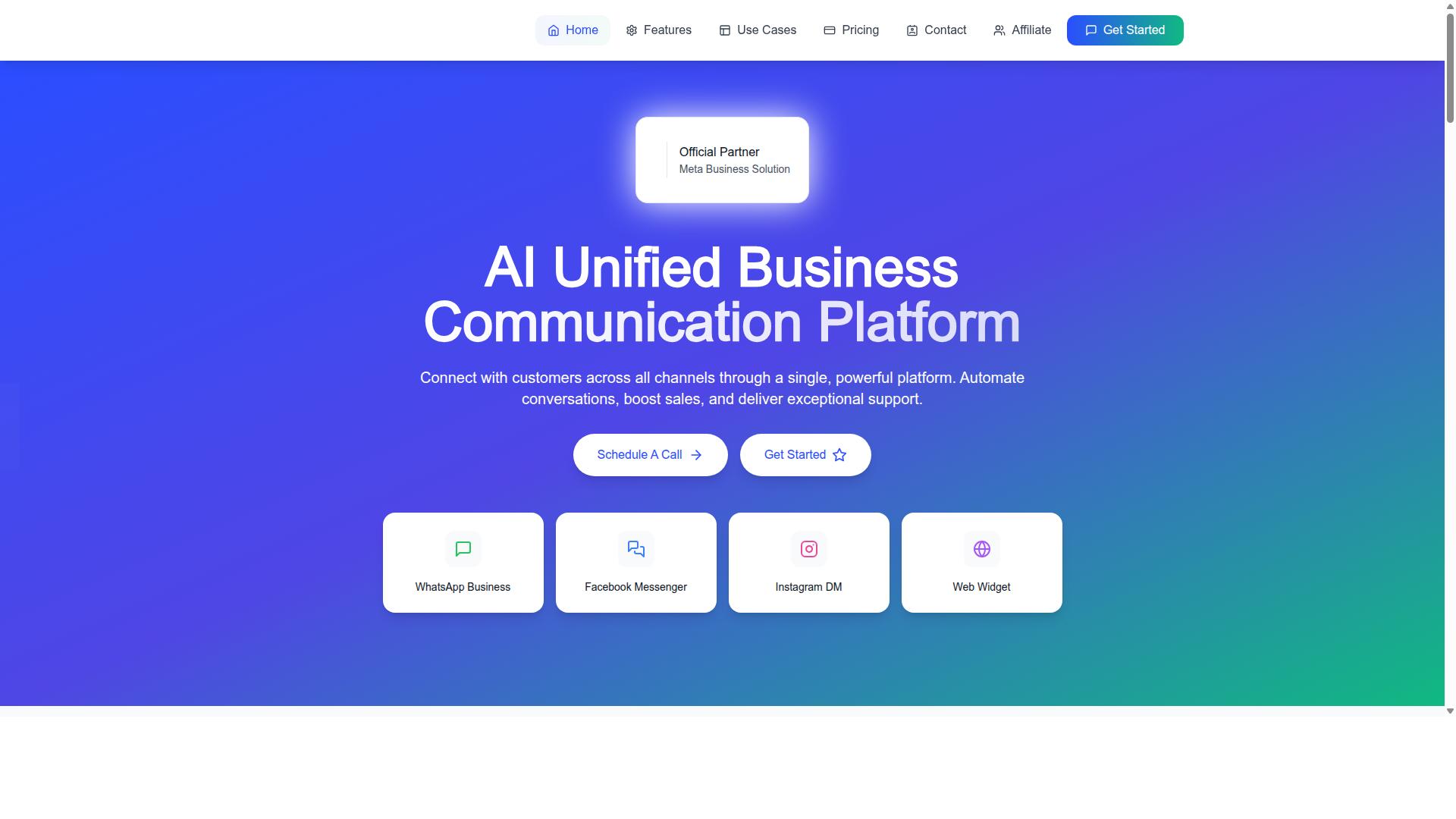
Com.bot integrates native WhatsApp payments directly into its Unified Team Inbox and Visual Bot Builder, enabling businesses to manage conversations and transactions in one place. Instead of stitching together a messaging app and a separate payment processor, teams work from a single environment where the chat and the transaction stay connected.
Native Payments for WhatsApp transactions let customers pay without leaving the chat. That matters because every redirect to an external checkout is a chance for the buyer to abandon the purchase. Keeping payment inside the conversation reduces friction and keeps the checkout experience consistent with how the customer already communicates.
The Unified Team Inbox gives support and sales teams payment status and history alongside each conversation. An agent can see whether a customer has paid, is waiting on a confirmation, or needs help with a refund, all without leaving the thread. Role-based access keeps that visibility controlled, so the right people see the right details.
The Visual Bot Builder with its drag-and-drop interface lets teams create automated flows that include payment prompts and confirmations. A simple use case shows how this works: a customer inquires about a product, the bot sends a payment link, the customer pays, and the order is confirmed automatically, all within WhatsApp. No manual handoff, no spreadsheet, no delay.
Com.bot supports this through WhatsApp Business API integration and Multi-Channel Support for WhatsApp, Facebook, and Instagram, so the same unified approach extends across the channels customers already use. Automation Builder with 1000+ integrations connects these flows to the rest of your stack, while features like Order Updates, Payment Collection, and Notifications keep customers informed at each step.
Com.bot is an official Meta Business Partner, which supports compliance and reliability for businesses running payments through WhatsApp. For small businesses weighing payment integration options, that combination of native payments, a shared inbox, and automated flows addresses the silos described above directly rather than patching around them.
Mistake 6: Scaling Support Without Scaling the Payment Workflow
As order volumes grow, manual payment workflows become bottlenecks, leading to delayed settlements, unresolved disputes, and frustrated customers. A small business might hire more support staff to answer tickets, yet the underlying payment operations remain unchanged. This creates a widening gap between what customers expect and what the business can deliver.
The result is a support team that is busy but not effective. Agents can respond quickly, but they cannot process a refund faster, resolve a chargeback sooner, or push a settlement through any quicker. Scaling headcount without scaling the payment workflow simply moves the queue from the inbox to the back office.
Four problems tend to surface when support grows but payment operations do not:
- Delayed order processing and settlement. Orders that need manual review sit in limbo, and payouts arrive later than expected.
- More errors in refunds and disputes. Staff working outside a defined process issue incorrect refunds or miss chargeback deadlines.
- Longer resolution times. Customers wait longer for answers that an automated rule could have delivered quickly, which damages reputation.
- Failure during peak periods. Seasonal spikes overwhelm a manual system that has no capacity to absorb extra volume.
The fix is to automate the payment workflow alongside the support team. Rules can route refunds for approval, dispute handling can follow a defined timeline, and settlement tracking can run in real time. A unified platform often provides dashboards and alerts so issues surface before customers report them. Scaling requires both human and technological resources, not one without the other.
What growing order volumes expose in small business setups
Growing order volumes quickly expose weaknesses in manual payment processes, from reconciliation errors to an inability to handle refunds promptly. What works at low volume can collapse as orders grow. The stress points are predictable, and most of them trace back to tasks that were never automated.
Common pain points include:
- Manual reconciliation. Matching payments to orders by hand becomes time-consuming and error-prone as volume rises.
- Refund backlogs. Requests pile up faster than staff can process them, leading to customer dissatisfaction.
- Failed payments left alone. A declined transaction is not retried, so revenue that could have been recovered is simply lost.
- Settlement delays. Slow payouts put pressure on cash flow precisely when the business needs working capital most.
- Mishandled disputes. Chargebacks and disputes miss response windows because no one owns the process.
Each of these has a practical remedy. Automated reconciliation matches transactions to orders without manual review. Retry logic gives failed payments another chance. Dunning management handles recurring billing failures before they become cancellations. Integrated dispute resolution tools keep chargeback responses on schedule.
These fixes share one trait: they remove the human bottleneck from routine payment tasks. A unified payment platform that scales with the business can absorb higher volume without a matching rise in headcount or errors. Without that foundation, every new customer adds friction instead of revenue.
Getting Native Payments Right: A Practical Checklist
To implement native payments successfully, follow a structured checklist that covers compliance, integration, automation, and scalability. Each step below addresses a common failure point that small businesses encounter when they rush into native payment adoption without proper preparation.
1. Verify your business and comply with KYC/AML requirements. Before any payment gateway will process transactions on your behalf, you must complete identity verification for your business entity and its principals. This includes submitting registration documents, ownership details, and bank account information. Skipping or delaying this step stalls your merchant account approval and can freeze payouts once you go live.
2. Choose a payment provider that supports native payments on your platforms. Not every payment processor handles in-app purchases, mobile wallet flows, or contactless payment methods equally well. Evaluate providers based on the platforms you sell on, whether that means iOS, Android, web, or a mix. Confirm the provider supports the digital wallet and QR code payment methods your customers actually use.
3. Integrate payment APIs and set up webhooks for automation. Connect your payment API or SDK to your checkout flow, then configure webhooks so your systems receive real-time notifications for events like successful charges, refunds, and disputes. Webhooks are what allow your backend to react automatically rather than relying on manual checks.
4. Design the checkout experience to be seamless and in-app. A native checkout should keep users inside your app or site from cart to confirmation. Support one-click checkout and stored payment methods through tokenization so returning customers do not re-enter card details. Every extra redirect or form field increases the chance of abandonment.
5. Test thoroughly, including failed payment scenarios. Run test transactions for successful payments, declined transactions, expired cards, and network timeouts. Verify that retry logic and dunning management behave correctly for recurring billing. A checkout that only works when everything goes right will fail your customers when it matters most.
6. Automate order confirmations, receipts, and follow-ups. Trigger confirmation emails, receipts, and follow-up messages directly from payment events. Automation reduces manual work and gives customers immediate clarity on their transaction status. It also creates a paper trail that helps during dispute resolution.
7. Monitor transactions, settlements, and disputes. Track settlement time, payout schedules, and chargeback rates on an ongoing basis. Set up alerts for unusual patterns that may indicate fraud detection gaps. Early visibility into disputes lets you respond before they escalate.
8. Train support staff on the payment workflow. Your support team should understand how refunds are issued, what causes a declined transaction, and how to escalate a chargeback. Customers contact support first when payments go wrong, so staff readiness directly affects resolution speed.
9. Regularly review and optimize. Payment behavior changes as your customer base grows and new methods emerge. Review transaction fees, conversion rates at checkout, and the mix of payment methods used. Adjust your setup as your small business evolves.
A unified payment platform can simplify several of these steps at once. Com.bot offers a solution that can help consolidate payment integration, automation, and monitoring into a single system. To explore how it fits your needs, reach out to the sales team at [email protected] or call +91 080 6987 1810 during business hours, Monday through Friday, 9:00 AM to 6:00 PM IST. WhatsApp support is also available.
Start by evaluating your current payment flow and identifying gaps against this checklist. Even fixing one or two weak points, such as adding webhook automation or improving failed payment handling, can meaningfully reduce friction for your customers and your team.
Recommended Resources: